Netscope
Netscope
Network inspector · Android · macOS

Every API call your Android app makes, live on your Mac.

Netscope turns adb into a DevTools-style network panel for phones, emulators and Chrome. No proxy, no certificates, and no SDK required. Then edit a call, resend it, or keep it in a collection.

Download for MacApple Silicon · free · .dmg or
$brew install --cask chinthalarohitho-alt/tap/netscope
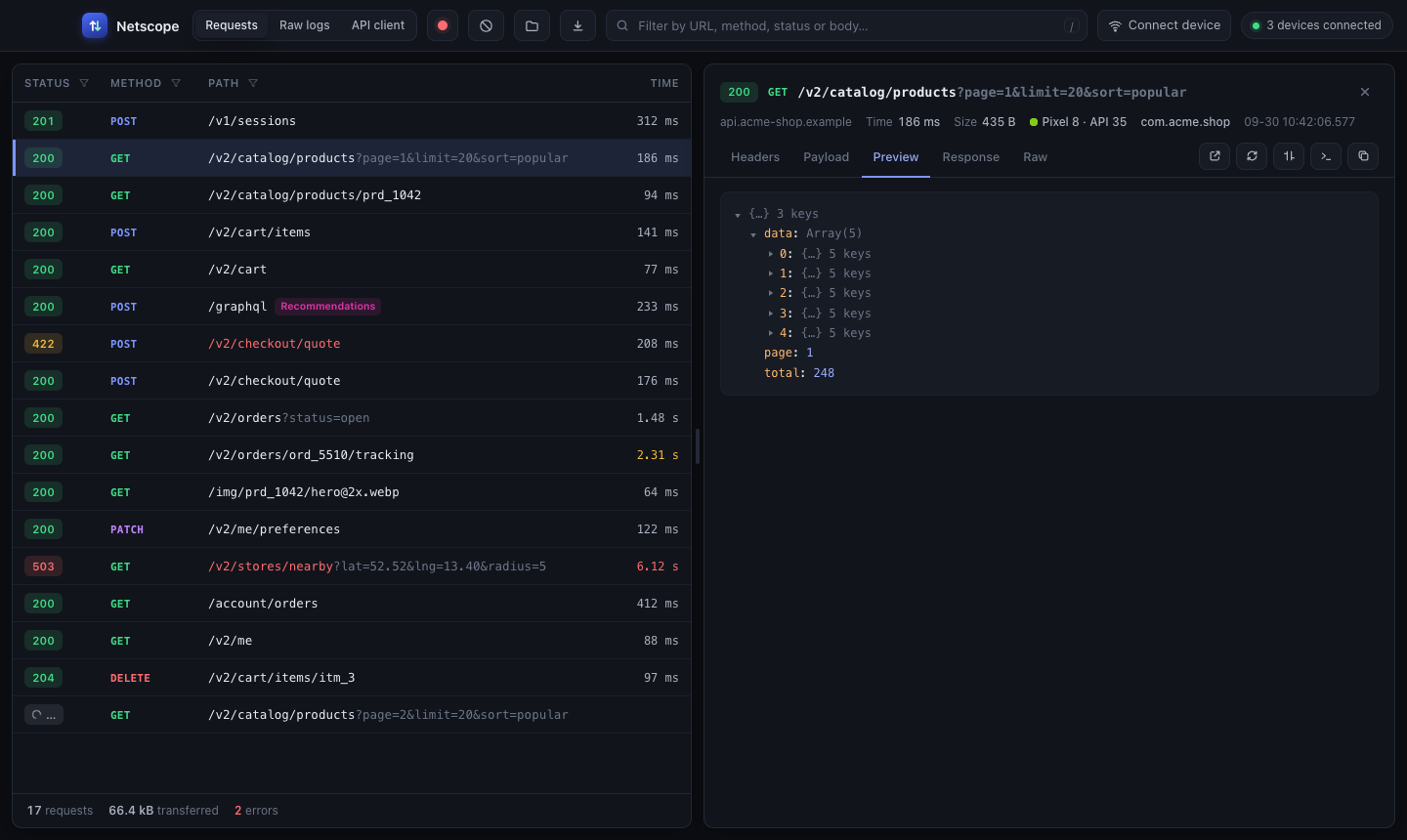
Netscope's Requests view: a list of API calls with status, method, path and time, and a JSON preview of the selected response
what the device writeswhat you read
How it works

It listens where the calls already are.

Most debug builds already log their traffic through OkHttp, and Chrome exposes its own over adb. Netscope reads both, so there's nothing to install on the phone and no certificate to trust.

SourceWhat it needsWhat you see
OkHttp loggingHttpLoggingInterceptor, Level.BODYNothing. Debug builds usually log already.
URL & statusheadersbodiestiming
Release buildsLevel.BASICNothing.
URL & statustimingsizebodies
Chrome & WebViewson the phone, over DevToolsUSB or Wi-Fi debugging on. WebViews must be debuggable.
URL & statusheadersbodiestiming
Browsers on your MacChrome, Edge, Brave, ChromiumLaunch it from Netscope. It gets its own profile.
every tabbodiessign in with a token
Netscope libraryone OkHttp interceptorOne line in your OkHttp builder.
full bodies, no logcat limitsexact timingworks in release
Features

Built for the moment after you find the call.

Find

Filter the way DevTools does.

Funnels on every column header, and a search box that understands the same syntax as Chrome's Network panel. Type a key and it suggests the values it has actually seen.

mime:application/jsonstatus:>=400-domain:*.cdn.examplelarger-than:100kis:slowmethod:POST

Search box with status:>=400 mime: typed and a list of MIME types with counts
Replay

A full API client, next to the traffic.

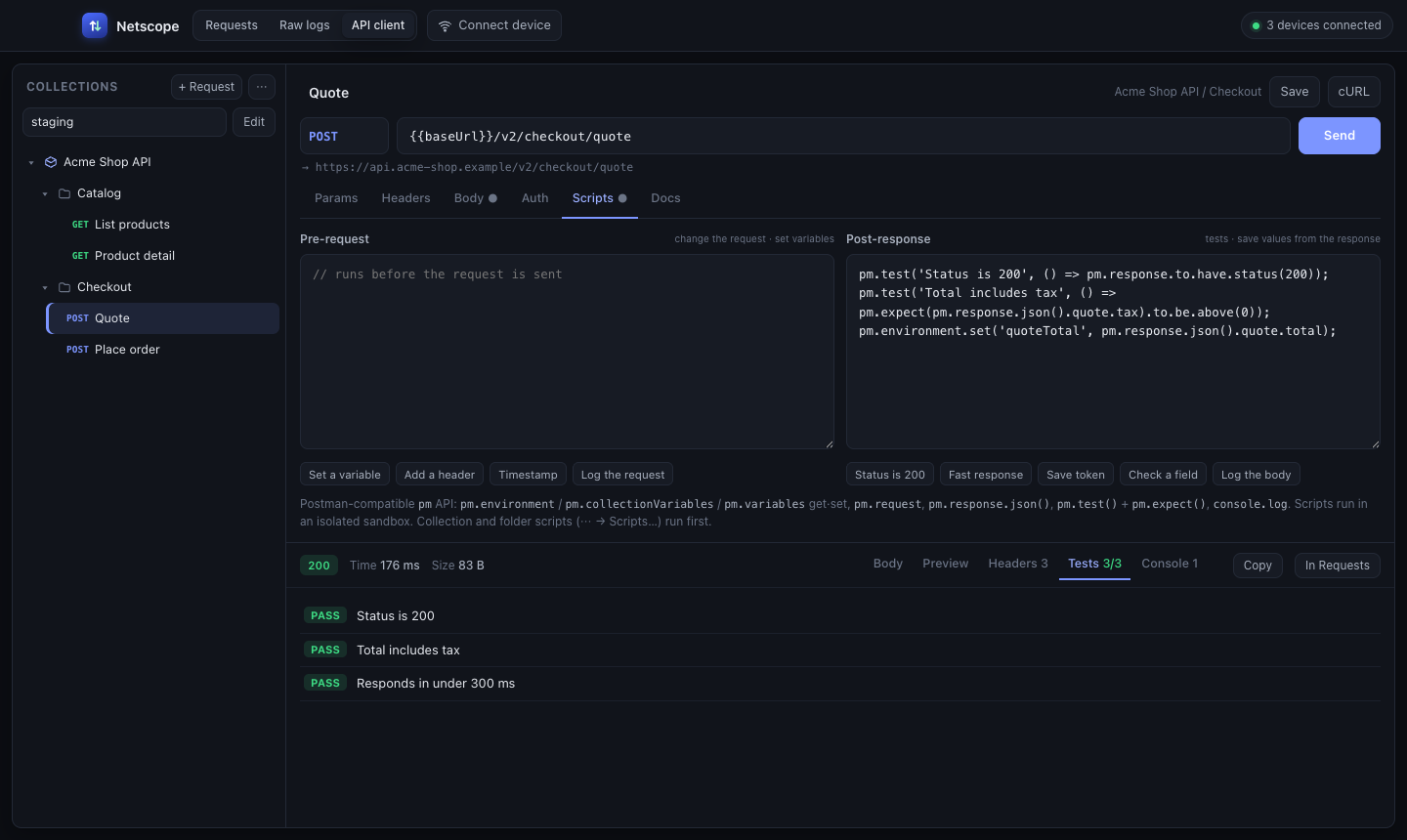
Open any captured call in the client, change it and send it again. Keep requests in collections and folders, switch environments, and test responses with the same pm scripts you'd write in Postman.

  • Collections, folders and {{variables}} per environment
  • Pre-request and post-response scripts with pm.test
  • Markdown docs on every request
  • Postman v2.1 and cURL import and export
The API client: a collection tree, a POST request with a post-response script, and three passing tests
Compare

See what changed between two responses.

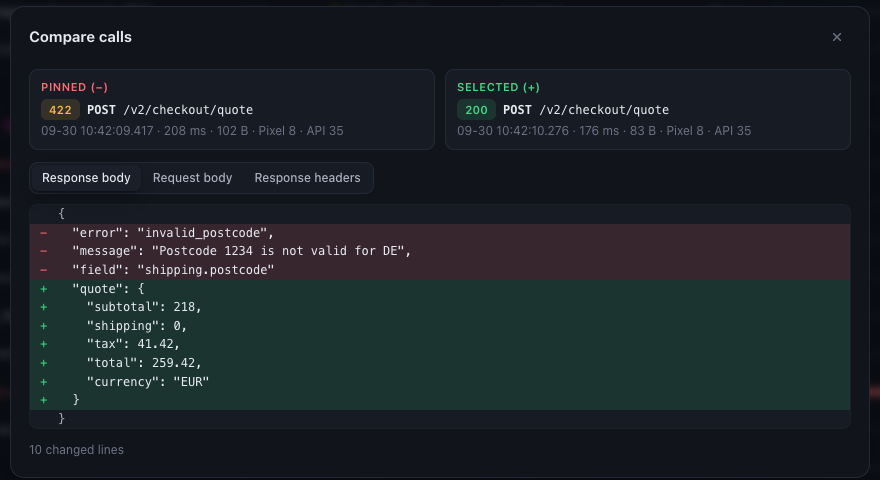
Pin a call, pick another, and read a line diff of their bodies or headers. The quickest way to see why the same endpoint failed once and worked the next time.

Compare dialog: a 422 response and a 200 response to the same endpoint, with removed and added lines highlighted
Connect

Pair a phone over Wi-Fi in one scan.

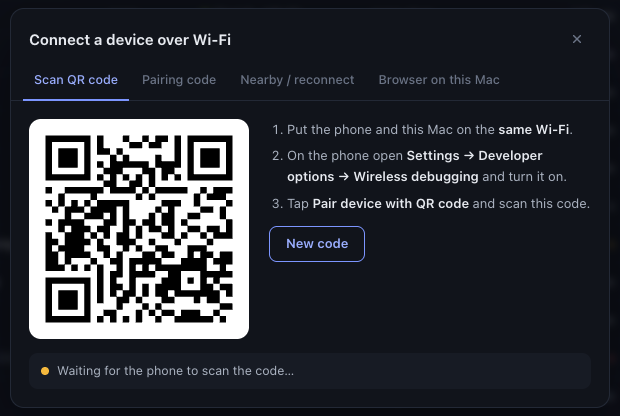
Show a QR code, scan it from the phone's Wireless debugging screen, and Netscope pairs and connects. Phones you've paired before show up under Nearby with a Connect button.

Connect dialog with a pairing QR code and three setup steps
Raw logsThe full logcat stream or just the HTTP lines, with a Raw tab on every request.
Sessions as HARSave what's on screen and open it again, or open a HAR from Chrome, Proxyman or Charles.
Many devices at oncePhones, emulators and browsers side by side. A phone on two addresses still counts once.
GraphQL and gRPC labelsOperations are named in the list, so fifty /graphql rows tell you what they are.
50,000 calls, still smoothOnly the rows on screen are drawn, and old bodies are dropped past a 400 MB budget.
Sign in with a tokenLaunch a browser already logged in. Netscope puts the token in the cookie or storage the site expects.
Optional

Add one line when you want everything.

Logcat cuts long bodies and release builds don't log them at all. The Netscope interceptor streams each call to your Mac over adb instead: complete bodies, exact timing, and nothing sent anywhere else. If the app also logs through OkHttp, each call still shows once.

app/build.gradle.kts
// debugImplementation keeps it out of store builds
debugImplementation("com.github.chinthalarohitho-alt:netscope:v1.1.0")
Where you build your OkHttpClient
OkHttpClient.Builder()
    .addInterceptor(NetscopeInterceptor(
        redactHeaders = setOf("Authorization"),
    ))
    .build()

Anyone with adb access to the device can read what the library captures, so ship it only in builds you're happy to inspect.

Install

Download, connect a phone, done.

1

Download Netscope and drag it into Applications.

Download for MacApple Silicon · free · .dmg

Or install it with Homebrew, which also keeps it up to date:

$brew install --cask chinthalarohitho-alt/tap/netscope
2

Install adb if you don't have it.

$brew install --cask android-platform-tools
3

Connect a phone with USB debugging on, start an emulator, or pair over Wi-Fi from inside Netscope. Calls appear as soon as the app makes them.

The first time you open the downloaded app, macOS may say it can't check it for malicious software. Open System Settings → Privacy & Security and click Open Anyway. The Homebrew install doesn't need this step.

macOS 11 or laterApple Silicon MacsAndroid 5+ for logs, 11+ for Wi-Fi pairingMIT licensed
What it can't see. Apps that neither log their traffic nor use a debuggable WebView, which is most store builds of other people's apps. Netscope doesn't intercept traffic, so it can't read those.